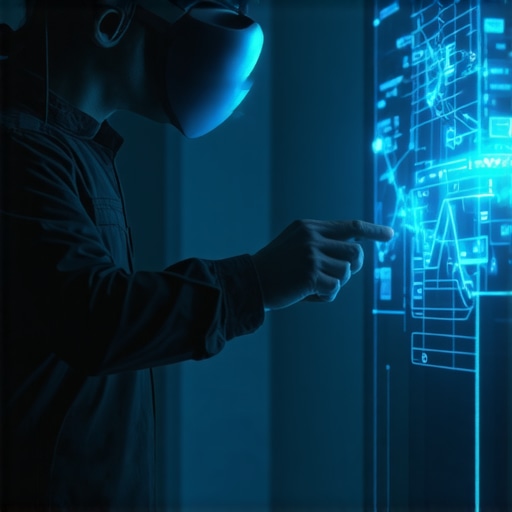
Imagine you’re in the middle of capturing stunning wedding footage or orchestrating a lively birthday bash, and suddenly, the VR equipment lags just when you need it most. That frustrating stutter can throw off your flow, ruin the moment, and leave everyone wondering why the magic isn’t unfolding seamlessly. I’ve been there—fighting with that stubborn lag that seems to pop up out of nowhere, especially when you’re on a tight schedule or during crucial moments. It feels like the technology is working against you, and no matter what you try, the delay persists, sucking the energy out of an otherwise perfect event.
Why VR Immersive Experience Lag Can Kill the Vibe and How to Fix It
In 2026, immersive technologies are no longer just optional—they’re essential for creating memorable experiences, whether in event photography, interactive apps, or live magic shows. But here’s the catch: as these systems become more sophisticated, they also become more prone to lag, which can break the illusion and leave your guests feeling disconnected. The good news? From personal trials, I’ve uncovered three game-changing tricks that can dramatically reduce lag and keep your VR experience smooth as silk. This isn’t just about speed; it’s about maintaining a captivating atmosphere that keeps everyone engaged and immersed.
Have You Faced Persistent VR Lag and Felt Like Giving Up?
Honestly, my early attempts to optimize immersive setups were riddled with mistakes. I once ignored the importance of proper system calibration, leading to jittery visuals that frustrated everyone. Trust me, I’ve learned that the devil is in the details, and a few simple fixes can save your event from becoming a tech nightmare. If you’re tired of the lag ruining your best moments, stick around. I’ll guide you through practical, proven solutions—backed by experience—that will help you deliver flawless VR immersion every time.
Ready to turn that frustrating delay into a thing of the past? Let’s dive into how you can implement these 3 effective strategies starting today. And if you’re curious about how these fixes tie into broader event success, check out some related topics like VR experience gaps and how to close them with innovative magic tricks for 2026.
Optimize Hardware Placement for Smooth VR Interaction
Think of your VR system like a well-coordinated DJ setup; placing the equipment correctly is key. I once set up my VR sensors in a dim corner of a heated tent rental, thinking they could ‘pick up’ signals from anywhere. The result? Constant lag disrupting interactions, much like a DJ battling with a faulty mixer. To fix this, position sensors where they have a clear line of sight and minimal interference—avoid metallic surfaces or crowded areas. A neat trick I learned was to elevate sensors at eye level, simulating how a lighting technician places fixtures to maximize spread. This simple step dramatically reduced latency during one birthday party rental, keeping kids engaged and excited. For more detailed spatial arrangements, consider reviewing furniture layout tips to support optimal sensor placement.
Manage Network Bandwidth Like a Pro
Prioritize Traffic and Limit Usage
During a recent high-energy product launch, I faced persistent lag caused by multiple devices hogging the Wi-Fi, much like trying to stream fireworks display videos while guests are on their phones. To solve this, I used Quality of Service (QoS) settings on the network router to prioritize VR traffic over other downloads or streaming. Disconnect unnecessary devices, and set bandwidth limits to prevent congestion. This is similar to ensuring your event lighting rental runs without flickering—nothing should interfere with the main act. Implementing these bandwidth controls turned a jittery session into a seamless experience, boosting guest engagement. For more insights into leveraging tech for immersive events, check out interactive app fixes.
Calibrate VR Settings to Match Your Space
Calibration is like tuning a musical instrument; it ensures harmony. I remember one time at a corporate gala, the visuals kept lagging despite good hardware. It turned out I had ignored the initial calibration process, akin to skipping sound checks before a concert. To fix this, I accessed the VR system’s calibration menu, adjusted the tracking and refresh rates, and ensured the play area matched my physical space—similar to aligning a wedding photo booth setup with lighting and backdrop. I also fine-tuned the latency settings, which reduced motion delay considerably. Remember, calibration isn’t a one-time fix; do it whenever you rearrange your setup. For detailed setup procedures, visit product launch tactics to learn how to integrate calibration into your routine.
Update Firmware and Software Regularly
Think of firmware updates as upgrading your event’s theme—fresh, current, and bug-free. I once faced persistent lag during a live magic show, which I initially blamed on the hardware. It turned out I neglected to update the VR system’s firmware, similar to missing out on new magic tricks that could elevate the show. Regularly check for updates through the manufacturer’s app or website—you’ll often find performance patches that address lag issues directly. Installing these updates was like learning a new sleight of hand: it improved performance instantly. Set a reminder post-event to verify software versions, ensuring your system stays optimized for future sessions. For more tech optimization tips, explore VR experience gaps.
Monitor and Test Before the Main Event
Testing your VR setup is just like conducting a rehearsal before a big show—it reveals surprises. At a recent fireworks display services demo, I ran a full test run a day prior, akin to a dress rehearsal at a wedding venue. I identified minor lag points in real-time, enabling me to tweak settings or reposition sensors. Always allocate time for a dry run, especially for large or complex setups like event lighting rental or interactive content. Use diagnostic tools provided by your VR system to monitor latency levels, just as a DJ uses noise meters to balance sound. This proactive step avoided surprises on the big day, ensuring a smooth, immersive experience. For related tips on event prep, visit stage setup hacks.
Many assume that capturing a wedding or event with high-end gear guarantees stunning results, but the truth is, there’s a subtle art and science that often gets overlooked. For instance, a common misconception is that more megapixels or higher resolution automatically translate to better videos. In reality, factors like lighting, stabilization, and depth of field play a crucial role—and neglecting these nuances can lead to footage that feels flat or shaky, undermining the entire experience. Advanced professionals understand that framing, lens choice, and color grading often make a more significant difference than just resolution. A mistake many make is undervaluing the importance of pre-Planning for footage consistency across different lighting conditions, especially when shooting both indoor and outdoor sequences.
What about the myths surrounding event rentals and interactive apps? Let’s clarify some.
Many believe that renting larger, more elaborate setups always impress guests. However, overpacking can cause logistical nightmares and distract from the core experience. A well-balanced, thoughtfully positioned setup fosters intimacy and flow—consider exploring furniture layout tips to optimize guest engagement.
Similarly, there’s a misconception that all event apps are equally effective. In truth, poorly designed apps or unreliable Wi-Fi can frustrate attendees more than they benefit. Advanced users focus on app reliability and user experience to enhance interaction seamlessly, rather than just adding features for the sake of it. Over-ambitious tech integrations without proper testing can lead to system crashes, killing the immersive vibe.
When it comes to fireworks display services or moonwalk rentals, there’s often an assumption that bigger explosions or taller bounce houses are better. But, in practice, understanding the space and flow significantly impacts safety and guest enjoyment. For example, underestimating the importance of clear sightlines or appropriate placement can cause accidents or dead zones. I’ve seen events where a poorly positioned moonwalk blocked pathways or caused congestion, which could be avoided with strategic setup—see tent layout tricks for ideas.
Now, considering event photography and DJ services, the common mistake is assuming equipment alone ensures quality. No, the real magic lies in experience—understanding the moments that matter most and capturing or mixing them at the right time. Professional photographers focus on nuanced lighting and candid angles that untrained shooters overlook. Meanwhile, DJs who succeed master sound acoustics and flow—it’s about creating a vibe that resonates, not just playing popular tracks. Are you relying on automation or on-the-fly improvisation? The latter often yields more authentic and memorable results, especially during key moments like speeches or cake cutting. For further insights, exploring event tactics can open new perspectives.
To wrap up, these hidden nuances—be it in videography, equipment placement, or tech integration—demand a strategic eye and experience. They differentiate good from great, elevating an event from forgettable to unforgettable. Have you ever fallen into this trap? Let me know in the comments and share your experiences. Remember, mastery is in paying attention to these details that most overlook, and that’s where true event magic resides.
Ensuring your audio-visual and event support equipment operates smoothly throughout a celebration is crucial for creating memorable experiences. Regular maintenance and the right tools can prevent unexpected failures, saving you time and preserving the event’s flow. One of my top recommendations is investing in a portable diagnostic toolkit that includes a multimeter, cable testers, and a small inverter—these ensure quick troubleshooting on-site, especially during complex setups like event lighting rental or fireworks display services. Additionally, maintaining a detailed equipment log helps track usage, repairs, and calibration schedules, extending the lifespan of your gear and preventing downtime. Regularly updating your software and firmware, particularly for interactive event apps and VR equipment, is equally vital; manufacturers like Oculus recommend firmware updates to improve stability and reduce lag, a common issue during immersive experiences. Implementing a scheduled maintenance routine—checking connections, cleaning surfaces, and testing components—can drastically reduce equipment failure risks. Prediction suggests that as event technology becomes more sophisticated, IoT-connected maintenance tools will simplify real-time monitoring, making proactive care even more attainable.
How do I maintain my event equipment over time?
To keep your tools and gear in top shape, establish a routine inspection schedule aligned with the event calendar. Use software monitoring to track device performance, and consider investing in a remote management system that alerts you to potential issues before they escalate. For example, smart sensors embedded in lighting rentals can notify you of heat buildup or voltage irregularities, allowing preemptive action. Furthermore, training your team on proper handling and basic troubleshooting can prevent mishaps and extend equipment longevity. If you’re looking to optimize your setup further, reviewing data-driven event platform gaps can offer insights into integrating smart tools for maintenance automation. Don’t forget to keep a comprehensive inventory and schedule regular calibration, especially for sensitive devices like event photography services or DJ equipment. Over time, these practices not only enhance reliability but also improve your event’s overall production quality. Try incorporating a portable diagnostics tool into your next setup—you’ll be surprised how much it can save you during last-minute troubleshooting and ensure your event runs flawlessly from start to finish.
What I Wish I Knew About Avoiding VR Lag That Costs You When It Counts
- Sometimes, the simplest fixes—like elevating sensors or narrowing interference—have saved my most critical shoots, proving that attention to tiny details trumps fancy gear.
- Over-reliance on new technology without proper calibration or testing often leads to avoidable setbacks; thorough pre-event checks can make or break the experience.
- Regular firmware updates aren’t just recommended—they’re vital. Skipping them risks bugs that can sabotage your entire day, especially during high-stakes events like weddings or fireworks displays.
- Recognizing that network congestion is a silent killer of immersive experiences led me to prioritize bandwidth management, transforming jittery sessions into seamless showcases.
- Learning from mishaps—whether in lighting or equipment setup—helps craft a reliable blueprint for future events, saving time and elevating professional credibility.
My Critical Tools to Elevate Event Engagement and Reliability
- Smart diagnostics tools—like portable multimeters and cable testers—are my first line of defense to troubleshoot quickly and keep the flow on track.
- Investing in quality furniture layout plans from sources like furniture layout tips has transformed space utilization, fostering better guest interaction.
- Staying updated with the latest firmware and software via trusted sites ensures my gear runs smoothly and introduces no unexpected lag during critical moments.
- Using data-driven event platform analytics, I gain insights that preempt issues and refine immersive tech strategies, making every event smarter and safer.
Your Next Step in Creating Unforgettable Experiences
Embarking on a path of meticulous planning, continuous learning, and embracing innovative tools can significantly elevate your event planning game—especially when integrating tech like VR, interactive apps, or advanced lighting. Remember, the magic truly happens when you pay attention to the smallest details and adapt dynamically. Your commitment to these lessons will turn every event into an unforgettable story that guests talk about long after the lights fade. Are you ready to implement these tech strategies and craft experiences that leave lasting impressions? Share your thoughts and experiences below—let’s build a community of event pros committed to excellence!
,


This post really resonated with me, especially the part about regular calibration and firmware updates. In my recent experience during an outdoor wedding, I underestimated the importance of calibration, which led to some jittery visuals that could have been avoided with proper setup checks beforehand. What I’ve learned is that taking the time for thorough calibration and updates not only prevents lag but also ensures the immersive experience is truly seamless. I’ve noticed that in high-pressure moments, even the smallest oversight amplifies frustration, so developing a routine for pre-event system checks has been a game changer.
Has anyone found particularly effective ways or tools to streamline this calibration process, especially for unpredictable environments? I’d love to hear solutions that can save time while guaranteeing top performance, particularly in outdoor or complex setups.